Best AI Tools to Buy in 2026: ChatGPT, Claude, Gemini & More Compared
AI subscriptions are starting to look a little like streaming services. There is always another one asking for $20 a month.
ChatGPT, Claude, Gemini, Perplexity, and Microsoft Copilot can all write, research, analyze files, and answer questions. Yet their strengths are increasingly different.
If you’re searching for the best AI tools 2026, the real question isn’t simply which model is smartest. It’s which subscription gives you enough value to justify another monthly payment.
This guide compares best paid AI tools, AI subscription pricing, ChatGPT alternatives, and the practical differences that matter before you spend your money.
Prices and product availability in this guide were checked in September 2026. AI companies change plans and limits frequently, so always verify the latest terms before subscribing.
Quick Comparison of the Best AI Tools in 2026
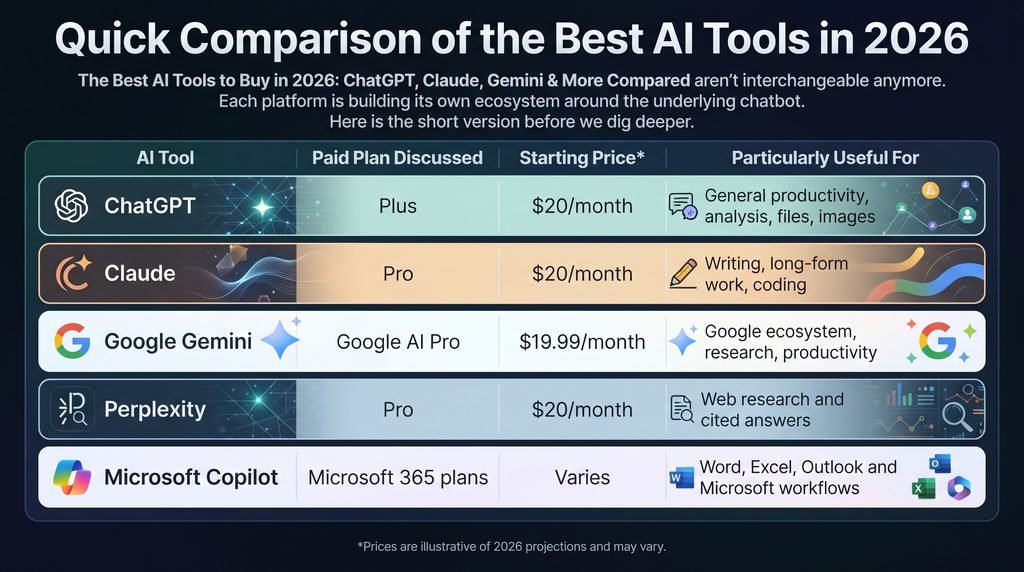
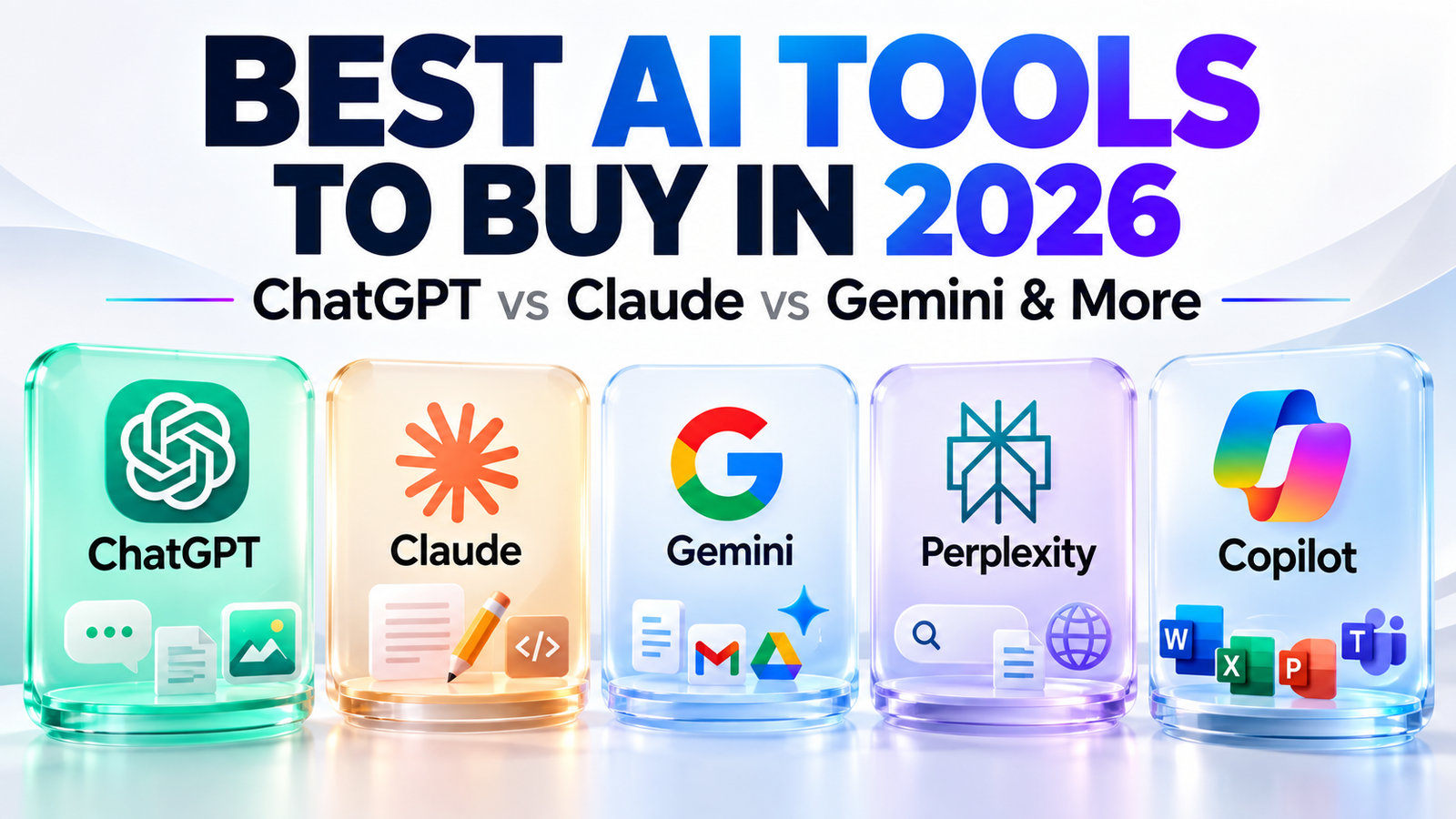
The Best AI Tools to Buy in 2026: ChatGPT, Claude, Gemini & More Compared aren’t interchangeable anymore. Each platform is building its own ecosystem around the underlying chatbot.
Here is the short version before we dig deeper.
| AI Tool | Paid Plan Discussed | Starting Price | Particularly Useful For |
|---|---|---|---|
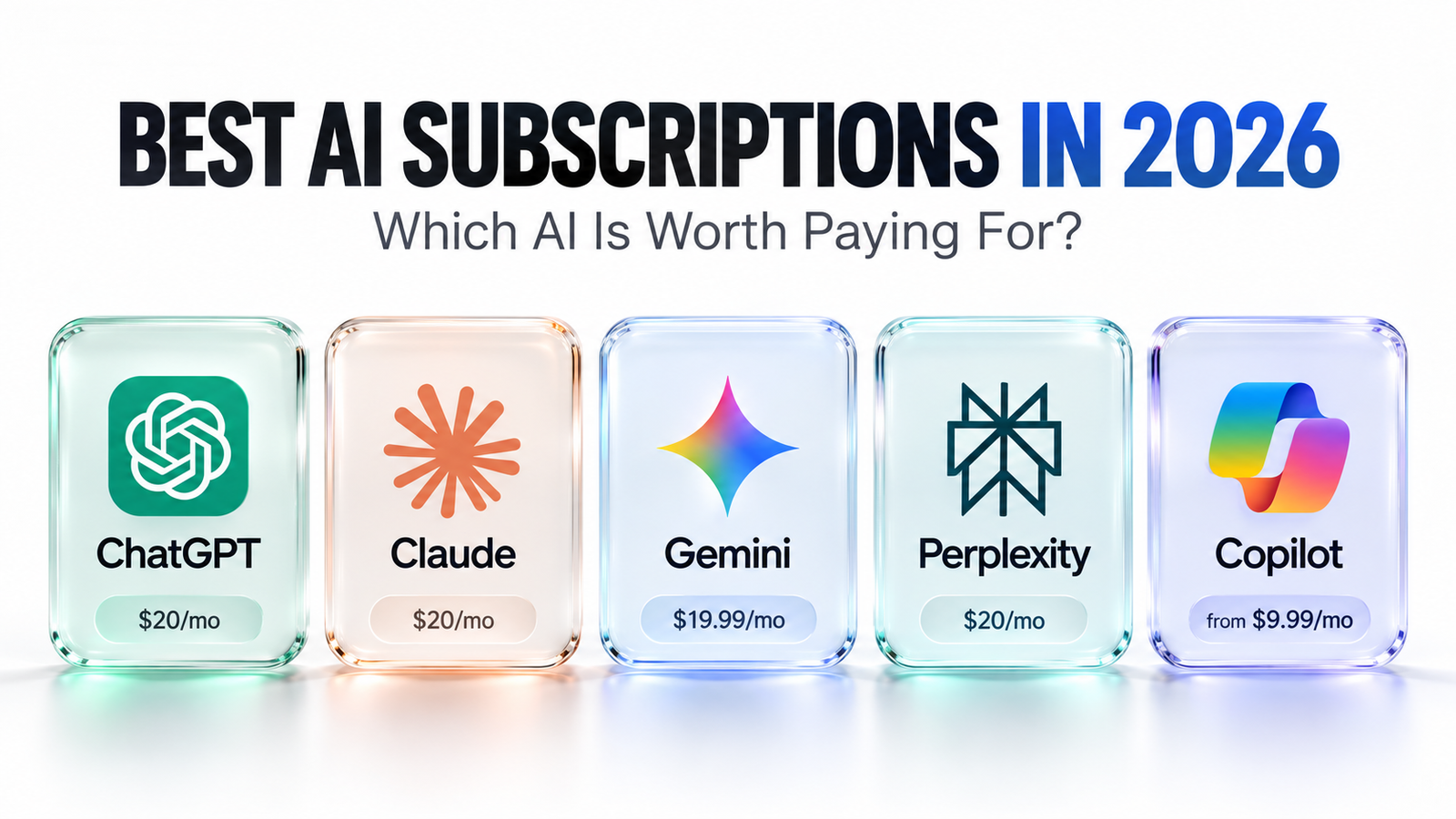
| ChatGPT | Plus | $20/month | General productivity, analysis, files, images |
| Claude | Pro | $20/month | Writing, long-form work, coding |
| Google Gemini | Google AI Pro | $19.99/month | Google ecosystem, research, productivity |
| Perplexity | Pro | $20/month | Web research and cited answers |
| Microsoft Copilot | Microsoft 365 plans | Varies | Word, Excel, Outlook and Microsoft workflows |
*US pricing shown where available. Taxes, promotions, regional pricing, features, and usage limits can differ.
OpenAI currently lists ChatGPT Plus at $20 per month. The subscription includes broader model access plus features such as voice, image generation, file analysis, and Deep Research where available.
Anthropic lists Claude Pro at $20 per month in the US. Higher-use Max tiers are also available for much heavier workloads.
Google currently lists Google AI Pro at $19.99 per month in the US, with Gemini access alongside storage and integrations across several Google products.
Perplexity lists Pro at $20 per month or $200 per year and positions the service around AI-powered research with sourced answers.
What Makes an AI Subscription Worth Paying For?
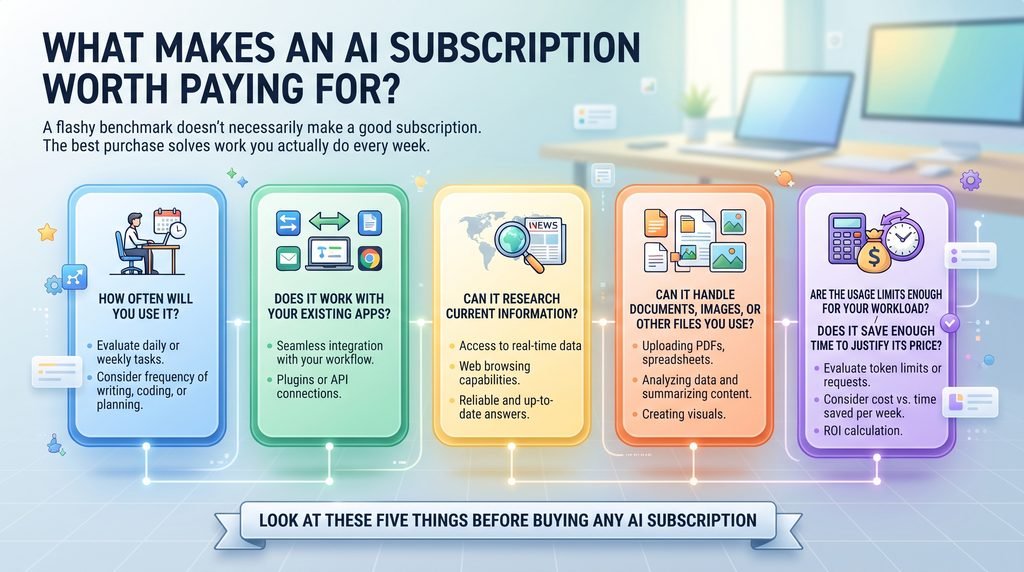
A flashy benchmark doesn’t necessarily make a good subscription.
The best purchase solves work you actually do every week.
Before buying any AI subscription, look at five things:
- How often will you use it?
- Does it work with your existing apps?
- Can it research current information?
- Can it handle documents, images, or other files you use?
- Are the usage limits enough for your workload?
- Does it save enough time to justify its price?
Consider someone who mainly writes proposals. Strong writing and document handling may matter more than image generation.
A developer may care much more about reasoning, codebase understanding, terminal workflows, and usage limits.
That’s why there isn’t one universal winner.
ChatGPT — A Broad General-Purpose AI Platform
ChatGPT remains one of the broadest options for people who want one subscription to perform many different jobs.
ChatGPT Plus currently costs $20 per month. OpenAI says the plan provides higher limits and broader access than its Free offering, with features including advanced reasoning, voice conversations, image generation, file uploads, analysis, and Deep Research where available.
OpenAI also introduced ChatGPT Go globally in 2026. In the US, its announced price was $8 monthly, while Plus remained $20.
That wider price range gives casual users an alternative to jumping directly from free access into a premium power-user subscription.
Who Should Consider ChatGPT?
ChatGPT makes sense when your work jumps between different formats.
You might analyze a spreadsheet in the morning, rewrite an email after lunch, brainstorm a product later, and inspect an uploaded document before finishing work.
For this type of mixed workload, breadth matters.
It is especially relevant to:
- Freelancers
- Founders
- Students
- Marketers
- Analysts
- Developers
- Content teams
- General business users
However, don’t subscribe simply because ChatGPT is well known. Start with its free tier and identify where limits actually interrupt your work.
Claude — Strong for Writing, Documents and Coding Workflows
Claude has developed a particularly strong following among people working with long text, structured thinking, documents, and software projects.
Claude Pro currently costs $20 per month in the US. Anthropic also offers Max tiers priced at $100 and $200 per month for users who need substantially more capacity.
For developers, Claude’s ecosystem also includes Claude Code.
Anthropic announced increased Claude Code limits for Pro, Max, Team, and seat-based Enterprise subscribers in May 2026, including doubled five-hour rate limits.
Who Should Consider Claude?
Claude is worth comparing closely if a large percentage of your work involves:
- Software development
- Editing
- Long reports
- Technical documentation
- Brainstorming
- Large documents
- Structured writing
- Iterative project work
Writers may appreciate an assistant that can work through large pieces of content without turning every answer into generic marketing copy.
Developers, meanwhile, should compare Claude Code with competing coding workflows rather than comparing chatbot interfaces alone.
That’s an important distinction.
Google Gemini — A Natural Fit for Google Users
Gemini becomes more interesting when you stop looking at it as an isolated chatbot.
Google is packaging its AI capabilities into a wider Google ecosystem.
Google AI Pro currently costs $19.99 per month in the US. Google’s current plan page lists Gemini access alongside 5 TB of storage and AI capabilities across services such as Gmail and Docs, although exact availability can vary by region and account.
The plan also includes higher Gemini usage than users receive without a Google AI subscription.
Who Should Consider Gemini?
Gemini deserves particular attention if your digital life already revolves around:
- Gmail
- Google Docs
- Google Drive
- Google Sheets
- Google Photos
- Google Search
- Google’s productivity ecosystem
Imagine that you already pay for storage and spend your working day inside Google products.
In that case, comparing Google AI Pro purely against a standalone $20 chatbot misses part of its value.
You’re evaluating a bundle.
That makes Google AI Pro pricing particularly interesting for existing Google users.
Perplexity — Designed Around AI Search and Research
Perplexity takes a somewhat different approach.
Instead of behaving primarily like a traditional conversational assistant, it emphasizes searching current web information and showing sources alongside answers.
Perplexity says its answers are grounded in real-time web sources with inline citations. Its current Pro subscription is listed at $20 monthly or $200 annually.
The company says Pro adds features including Pro Search, Projects, file analysis, image generation, and access to advanced models.
Who Should Consider Perplexity Pro?
Perplexity is especially attractive for people who repeatedly research information from the web.
Think:
- Journalists
- SEO professionals
- Market researchers
- Students
- Consultants
- Investors doing initial research
- Content researchers
- Business analysts
The citations are important because they give you somewhere to continue checking.
That does not mean every cited answer is automatically correct. You should still open important sources and verify consequential claims.
But for research-heavy workflows, source visibility can save time.
Microsoft Copilot — AI Inside the Microsoft Ecosystem
Microsoft’s strongest argument is similar to Google’s: integration.
If your company already lives inside Word, Excel, PowerPoint, Teams, and Outlook, an AI assistant connected to those tools can be more valuable than another standalone browser tab.
Microsoft currently lists Microsoft 365 Copilot for enterprise at $30 per user per month with an annual commitment, alongside qualifying Microsoft 365 licensing requirements.
Microsoft also offers different consumer and business configurations, so buyers should check the exact package relevant to them instead of assuming there is one universal Copilot price.
Who Should Consider Copilot?
Copilot deserves a close look when Microsoft 365 is already the backbone of your organization.
Typical use cases include:
- Summarizing work information
- Drafting inside Word
- Working with Outlook
- Creating presentations
- Working with spreadsheets
- Using Teams
- Business knowledge workflows
A standalone AI may be more flexible.
An integrated AI may remove more friction.
Those aren’t always the same thing.
ChatGPT vs Claude vs Gemini vs Perplexity
Now we reach the question most buyers actually type into Google.
Which one should you pay for?
Rather than declaring a universal winner, compare your workflow.
| Need | Tools Worth Testing First |
|---|---|
| General-purpose assistant | ChatGPT, Gemini, Claude |
| Long-form writing | Claude, ChatGPT |
| Coding | Claude, ChatGPT, Gemini |
| Web research | Perplexity, ChatGPT, Gemini |
| Google ecosystem | Gemini |
| Microsoft 365 ecosystem | Copilot |
| Document analysis | ChatGPT, Claude, Gemini |
| Source-focused research | Perplexity |
| Mixed creative/productivity work | ChatGPT, Gemini |
| Heavy professional use | Compare premium tiers and limits |
This is also why searches for ChatGPT vs Claude vs Gemini are more useful when the comparison includes real tasks rather than abstract intelligence rankings.
The tool that saves a programmer four hours might save an accountant ten minutes.
Value depends on the job.
Which AI Is Best for Writing?
For professional writing, Claude and ChatGPT are both worth testing before paying.
Don’t test them with:
Write an article about marketing.
That’s too easy.
Instead, give each model a realistic assignment with your tone requirements, source material, editing instructions, and a difficult section to rewrite.
Then compare:
- Naturalness
- Repetition
- Structure
- Following instructions
- Editing quality
- Amount of cleanup required
The winner should be the one that reduces your editing time.
That’s a far more useful metric than a viral benchmark.
Which AI Is Best for Coding?
The answer depends heavily on how you code.
Chat-based snippets are only one part of modern AI development.
Developers should evaluate:
- Repository understanding
- Multi-file edits
- Debugging
- Terminal integration
- Agentic workflows
- Context limits
- Rate limits
- IDE support
- Model quality
- Cost
Anthropic has continued expanding Claude Code capacity, while OpenAI offers coding functionality through its broader ChatGPT and Codex ecosystem.
So if coding is your primary reason for subscribing, test the coding workflow, not only the chatbot.
Which AI Is Best for Research?
Perplexity has one obvious advantage for this category: research and source citation are central to the product.
ChatGPT and Gemini also include increasingly capable research features.
This creates a useful split.
Choose based on whether you want:
Research-first experience: Consider Perplexity.
Research plus a broad productivity assistant: Compare ChatGPT and Gemini.
Research connected to Google’s ecosystem: Gemini becomes particularly relevant.
Most importantly, never treat an AI-generated research summary as a primary source for medical, financial, legal, academic, or business-critical decisions.
Open the evidence yourself.
Free vs Paid AI: Do You Actually Need a Subscription?
Here is the question AI companies would probably prefer you didn’t ask:
Do you need to pay at all?
For many people, no.
Free AI plans have become remarkably capable.
Stay free if you:
- Ask occasional questions
- Brainstorm casually
- Write short pieces
- Rarely upload files
- Don’t regularly hit limits
- Don’t need premium tools
Consider upgrading when the free plan starts costing you time.
For example, imagine an AI subscription costs roughly $20 per month.
If it reliably saves a freelancer even one billable hour every month, the economics may already work.
But if you open it twice a week to rewrite social captions, the free version may be enough.
How to Choose the Right AI Subscription
The easiest mistake is trying to buy the most intelligent AI.
Instead, buy the most useful AI.
Here’s a simple seven-day test.
Day 1–2: List Your Real Tasks
Write down the jobs you actually need AI to perform.
Not imaginary future tasks.
Real ones.
For example:
- Research competitors
- Write client emails
- Analyze PDFs
- Debug code
- Generate product ideas
- Summarize reports
Day 3–5: Test the Same Tasks
Use the free versions of two or three platforms.
Give them the same material and similar instructions.
Then measure the outputs.
Day 6: Count the Friction
Which platform required fewer corrections?
Which understood your files?
Which worked better with the software you already use?
Which one annoyed you least?
That last question is more important than it sounds.
Day 7: Pay for One
Subscribe to the strongest candidate for one month.
Don’t immediately buy four subscriptions.
Use one heavily.
If its limitations become clear, add another tool only when it solves a specific gap.
How to Avoid Spending $80 a Month on AI You Barely Use
Four $20 subscriptions don’t feel expensive individually.
Together, that’s roughly $960 per year before taxes.
This is subscription creep in action.
A smarter approach is to build an AI stack around roles.
For example:
Primary assistant: ChatGPT, Claude, or Gemini
Specialized research tool: Perplexity, only if research volume justifies it
Work ecosystem tool: Copilot or Gemini when workplace integration provides measurable value
Don’t pay twice for capabilities you rarely use.
What About Premium $100 and $200 AI Plans?
Power-user plans are becoming more common.
Claude offers Max tiers at $100 and $200 monthly.
OpenAI also offers higher-priced Pro options, although availability and configurations have changed during 2026. OpenAI’s September documentation notes changes to availability around its $200 Pro tier, reinforcing why buyers should check current terms before purchasing.
These plans aren’t automatically “five times better” because they cost five times more.
Much of the extra value can come from higher limits, advanced models, priority access, or professional workflows.
Heavy users may benefit.
Casual users probably won’t.
Best AI Tools to Buy in 2026: The Practical Shortlist
So how should you interpret the Best AI Tools to Buy in 2026: ChatGPT, Claude, Gemini & More Compared?
Use your workflow as the filter.
Consider ChatGPT if you want a broad AI workspace capable of handling many different kinds of tasks.
Consider Claude if writing, documents, thoughtful long-form work, or coding dominate your workflow.
Consider Gemini if Google’s ecosystem is already deeply embedded in your work and you can benefit from the wider subscription bundle.
Consider Perplexity if web research and visible source citations are central to your daily work.
Consider Microsoft Copilot if your organization already operates heavily through Microsoft 365.
There is no need to pick based on brand loyalty.
Make the software earn its monthly fee.
Before You Buy: Check These 6 Things
AI subscriptions change unusually quickly.
Before entering your card details, confirm:
- Current monthly price
- Regional availability
- Current model access
- Usage limits
- Included integrations
- Cancellation and renewal terms
Also remember that chatbot subscriptions and developer API usage are often separate products.
For example, OpenAI explicitly states that ChatGPT Plus does not include API usage.
This catches new buyers surprisingly often.
Final Thoughts
The market for the best paid AI tools is no longer about finding one chatbot that beats everything else.
The products are becoming ecosystems.
ChatGPT emphasizes a broad range of AI capabilities. Claude has strong writing and coding workflows. Gemini becomes compelling inside Google’s ecosystem. Perplexity focuses heavily on web research, while Microsoft Copilot sits naturally inside Microsoft 365.
Your best choice is therefore simple:
Pay for the tool that repeatedly saves you more time or creates more value than its subscription costs.
And start with one. for any information Contact Us
You can always add another later.
Want more practical AI comparisons? Bookmark this guide and check back as pricing and features change. If you’ve tested two or more of these tools, share which one you kept paying for—and why.
Frequently Asked Questions
What are the best AI tools to buy in 2026?
ChatGPT, Claude, Gemini, Perplexity, and Microsoft Copilot are among the major paid AI platforms worth comparing. The right option depends on whether you prioritize general productivity, writing, coding, research, or integration with Google or Microsoft products.
Is ChatGPT Plus worth $20 per month?
ChatGPT Plus currently costs $20 per month. Whether it is worth paying for depends on how often you use its higher limits and premium features. Occasional users should test the free plan before upgrading.
Is Claude Pro the same price as ChatGPT Plus?
In the US, both Claude Pro and ChatGPT Plus are currently listed at $20 per month. Regional prices and taxes can vary.
How much does Google Gemini cost?
Gemini itself has free access, while Google’s current US Google AI Pro offering is listed at $19.99 per month. It bundles higher AI access with additional Google services and storage.
Is Perplexity better than ChatGPT for research?
Perplexity is specifically designed around web research and source-backed answers, while ChatGPT covers a broader range of tasks. Users who prioritize citations and web discovery may prefer Perplexity’s workflow, while users wanting one broader assistant may prefer a more general platform.