Best User Onboarding Software for B2B SaaS Teams in 2026 (Compared)
Introduction: Why Choosing the Right Onboarding Tool is a Critical Growth Lever
In the highly competitive arena of B2B Software as a Service (SaaS), acquiring a new user is only a fraction of the battle. The true test of a product’s viability lies in user retention, and retention is inextricably linked to the quality of the first impression. When a user logs into your platform for the first time, they are navigating unfamiliar territory. If the path to value is obscured by complex interfaces, dense data requirements, or a lack of intuitive guidance, that user is highly likely to churn. Finding the best user onboarding software is no longer a luxury for enterprise teams; it is a foundational requirement for sustainable growth.
Furthermore, the consequences of a poor initial user experience ripple far beyond marketing and sales metrics; they directly impact the daily realities of your internal teams. Customer support moderators and operations agents routinely process client platform issues and system escalations that stem entirely from a lack of user understanding. When basic functionalities are hidden or workflows are poorly explained, it generates a flood of unnecessary support inquiries, manual ticket adjustments, and frustrated customer interactions. By implementing the right user onboarding software, you effectively intercept these usability hurdles before they become operational bottlenecks.
Choosing the right platform allows you to create a frictionless environment where users are guided seamlessly toward their “Aha!” moment. However, the market is flooded with tools claiming to be the ultimate solution. From comprehensive digital adoption platforms to lightweight tooltip builders, the variety is staggering. This guide will break down the essential features to look for, categorize the different types of onboarding software available in 2026, and provide a comprehensive framework to help your SaaS team make an informed, strategic decision.
What to Look for in Onboarding Software
When evaluating the best user onboarding software for your B2B SaaS, you must look past the flashy marketing websites and focus on core functional capabilities. The ideal tool should empower your team to build, measure, and iterate on onboarding flows without constantly relying on developer resources. Here are the four non-negotiable pillars to look for:
1. A Robust No-Code or Low-Code Editor
Agility is the defining characteristic of successful growth teams. If every change to a tooltip, product tour, or welcome modal requires a Jira ticket and a two-week sprint from your engineering team, your onboarding strategy will stagnate. A top-tier onboarding platform must feature a highly intuitive visual builder. This editor should allow product managers, product marketers, and customer success teams to point, click, and create complex guidance flows directly over your application’s interface. Look for drag-and-drop functionality, WYSIWYG (What You See Is What You Get) text editing, and the ability to easily customize the CSS to ensure the guidance feels like a native part of your application rather than a bolted-on afterthought.
2. Granular Behavioral Analytics
You cannot improve what you do not measure. Creating a beautiful product tour is meaningless if you don’t know whether users are actually completing it. The best user onboarding software includes deep, out-of-the-box analytics that track user interactions with your onboarding elements. You need to be able to monitor completion rates, identify where users are dropping off within a multi-step tour, and measure the time-to-value (TTV). High-end tools will allow you to tie onboarding flow completion directly to product usage metrics, answering the critical question: Did users who completed this specific product tour adopt the feature at a higher rate than those who skipped it?
3. Advanced Audience Segmentation
B2B SaaS products rarely have a single type of user. A platform might be accessed by executive sponsors looking for high-level dashboard metrics, daily operational staff performing data entry, and technical administrators configuring API integrations. Showing the exact same onboarding tour to all three personas is a recipe for instant dismissal. Superior onboarding software allows you to segment your audience based on user attributes (e.g., job title, company size, plan tier) and behavioral data (e.g., first-time login, features previously used). This ensures that a senior executive receives a brief, high-level overview of ROI reporting, while an operational user receives a granular, step-by-step walkthrough of their daily workflow.
4. Seamless Tech Stack Integrations
Your onboarding software should never exist in a silo; it needs to be an integrated component of your broader revenue operations ecosystem. Ensure the platform offers native, bidirectional integrations with the tools you already use. It should pull in user data from your Customer Data Platform (CDP) like Segment to fuel segmentation. It should push event data to product analytics tools like Amplitude or Mixpanel so your data scientists can analyze the holistic user journey. Finally, it must integrate with your CRM (like Salesforce or HubSpot) and your support ticketing systems to give customer success managers a 360-degree view of a user’s health and adoption progress.
Categories of Onboarding Tools Explained
The phrase “best user onboarding software” is highly subjective because different products solve different problems. To make an informed choice, you must understand how the market is segmented. Instead of looking at individual vendors in isolation, it is far more helpful to understand the distinct categories of tools and the specific use cases they serve.
1. Digital Adoption Platforms (DAPs)
Digital Adoption Platforms are the heavyweights of the onboarding world. These are comprehensive, enterprise-grade solutions designed to sit as an invisible layer over highly complex software. DAPs are commonly used for in-app guidance, cross-application flows, and extensive employee onboarding. If your software involves hundreds of disparate features, dense data tables, and intricate, multi-step workflows, a DAP provides the necessary scaffolding. They typically offer robust compliance features, deep analytics, and the ability to guide a user not just within a single app, but across a suite of interconnected tools. While incredibly powerful, they often come with a steeper learning curve and a premium price tag suitable for large organizations.
2. Product Tour and Walkthrough Builders
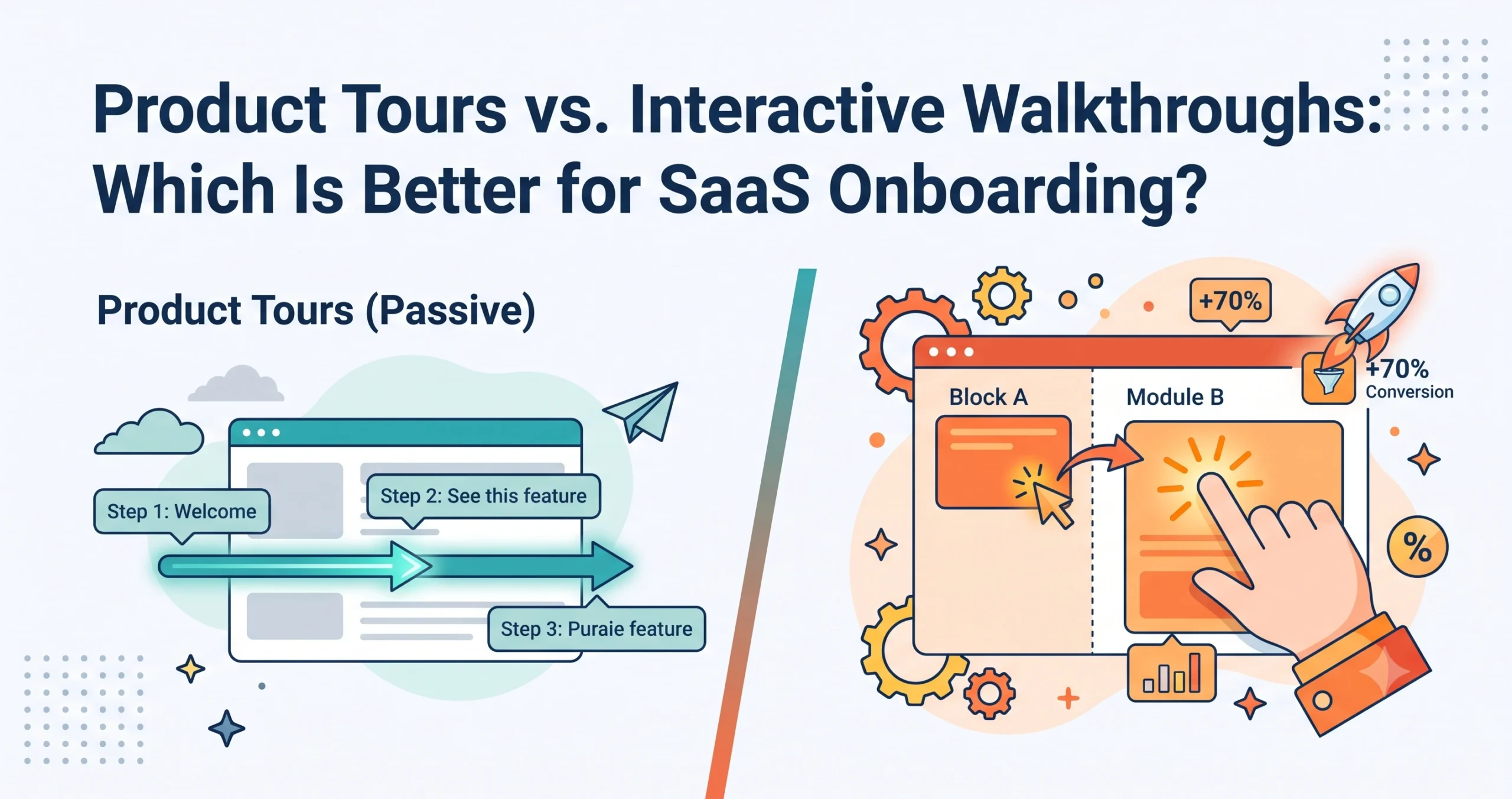
This is the most common category associated with SaaS user onboarding. These platforms specialize in creating the UI elements that most people think of when they hear “onboarding”: welcome modals, interactive tooltips, slide-outs, hotspots, and step-by-step checklists. These tools are designed for rapid deployment, allowing product teams to quickly highlight new features or guide users through their very first “Aha!” moment. They strike an excellent balance between ease of use, visual customization, and actionable analytics. For the vast majority of mid-market B2B SaaS companies, a dedicated product tour builder provides exactly the right amount of firepower to increase activation rates without overwhelming the user or the implementation team.
3. In-App Messaging and Conversational Tools
Sometimes, the best onboarding is a well-timed, contextual conversation rather than a rigid product tour. In-app messaging platforms focus on behavioral triggers to deliver targeted communications. This might take the form of a small chat bubble popping up when a user lingers on a pricing page for too long, or a subtle banner announcing a relevant upcoming webinar. These tools are deeply tied to customer support and sales, often blurring the line between onboarding and ongoing customer success. They are highly effective for engaging users who might be stuck, offering immediate, human (or chatbot) assistance precisely when the user’s behavior indicates confusion or intent.
4. User Feedback and Micro-Survey Platforms
Onboarding is a two-way street. While you are guiding the user, you also need to understand their experience in real-time. Feedback and survey tools are crucial for measuring the qualitative success of your onboarding efforts. Instead of sending a massive email survey three months after a user signs up, these platforms allow you to trigger single-question micro-surveys (like CSAT, NPS, or CES) directly within the app, immediately after a user completes a key workflow. This contextual feedback is invaluable. If a user abandons an onboarding flow, triggering a polite, one-click survey asking “What stopped you today?” provides the exact qualitative data needed to iterate and improve the experience.
5. Customer Education and Academy Platforms
For deeply technical or highly strategic B2B SaaS products, in-app tooltips are simply not enough. In these cases, users require structured, asynchronous learning. Customer education platforms (often referred to as Learning Management Systems or LMS for external users) allow you to build comprehensive “Academies.” Here, you can host video courses, detailed documentation, best-practice guides, and certification programs. While this happens outside the core application interface, it is a vital component of enterprise user onboarding, ensuring that power users, administrators, and implementation champions have the deep, foundational knowledge required to extract maximum ROI from your software.
A Comparison Framework: 10 Criteria to Evaluate Any Tool
When your team sits down to evaluate potential vendors, use this 10-point checklist to standardize your comparison. This framework ensures you look beyond the sales pitch and evaluate the software against your actual operational reality.
- Ease of Use for Non-Technical Staff: Can a marketing manager or a customer success specialist build and publish a standard product tour in under an hour without writing a single line of code?
- Visual and Brand Customization: Can the UI elements (modals, buttons, tooltips) be styled to match your exact brand guidelines? Poorly styled onboarding elements look like spam and degrade trust.
- Breadth of UI Patterns: Does the tool offer a diverse toolkit? You will need more than just tooltips. Look for checklists, resource centers, banners, hotspots, and full-screen takeovers.
- Depth of Analytics and Reporting: Does the platform track drop-off points within a flow? Can you easily export this data or visualize it in custom dashboards to present to stakeholders?
- Ecosystem Integrations: Does it natively connect with your specific CRM, CDP, and product analytics tools? An isolated onboarding tool creates data silos.
- Performance Impact (Script Weight): Adding third-party JavaScript to your application can slow down page load times. Always ask vendors about their script size and how they minimize impact on your core app’s performance.
- Security and Compliance: If your SaaS handles sensitive data (e.g., healthcare, finance), does the onboarding vendor possess the necessary compliance certifications (SOC 2 Type II, GDPR, HIPAA)?
- Mobile vs. Web Support: If your application has a companion mobile app, does the onboarding software support iOS and Android native environments, or is it strictly limited to web browsers?
- Quality of Customer Support: When you run into a complex targeting issue, how fast is their support team? Do enterprise tiers include a dedicated Customer Success Manager (CSM)?
- Scalability: Can the platform handle your projected growth? A tool that works well for 1,000 Monthly Active Users (MAUs) might break down or become cost-prohibitive when you scale to 500,000 MAUs.
The Build vs. Buy Dilemma for Onboarding Tooling
A common debate within engineering-heavy SaaS startups is whether to purchase a third-party onboarding platform or simply build the guidance flows in-house. Both approaches carry distinct advantages and significant risks.
The Case for Building In-House Building your own onboarding flows gives your engineering team absolute, uncompromised control over the user experience. The onboarding elements will be woven directly into the native codebase, ensuring zero performance lag from third-party scripts and perfect visual harmony with the rest of the application. Furthermore, building in-house avoids the recurring software subscription costs associated with commercial platforms. For highly specific, complex, one-time setup workflows that require deep database interactions, building it natively is often the only viable option.
The Case for Buying a Dedicated Platform The primary argument for buying an off-the-shelf solution is speed and agility. When you rely on in-house development for onboarding, every minor text change, new tooltip, or adjustment to a tour sequence must be prioritized in an engineering sprint. This drastically slows down the iteration cycle. By purchasing a platform with a visual builder, you empower the product, marketing, and customer success teams to deploy and test guidance instantly. Furthermore, dedicated platforms come pre-loaded with best-practice UI patterns and analytics engines that would take your internal team months to build from scratch. Ultimately, buying a tool allows your highly paid engineers to focus on building your core, proprietary product features rather than reinventing a tooltip library.
Questions to Ask During a Tool Trial or Demo
Never commit to an annual contract based solely on a slide deck. When engaging with sales representatives or testing a platform in a sandbox environment, ask these pointed, technical questions to reveal the tool’s true capabilities:
- “How exactly does your script affect our page load speeds and overall application performance?” (Listen for technical answers regarding asynchronous loading and script optimization).
- “Can we trigger specific onboarding flows based on custom backend events, or are we limited to frontend page-loads and clicks?” (This tests the depth of their API and event-tracking capabilities).
- “What happens to our active product tours if our engineering team makes minor changes to our application’s DOM structure or CSS classes?” (You want to know if their element-selection technology is fragile or robust against routine UI updates).
- “Do you offer a version control or a staging environment?” (It is critical to be able to test onboarding flows in your staging environment before pushing them live to production users).
- “How does your platform handle overlapping or conflicting messages?” (If two different teams schedule a modal and a tooltip for the same page, the software should have a prioritization hierarchy to prevent spamming the user).
How Pricing Models Typically Work in This Space
Budgeting for the best user onboarding software requires understanding how vendors structure their pricing. Unlike simple flat-rate SaaS tools, onboarding platforms usually scale their pricing based on usage or internal team size.
Usage-Based Pricing (MAU Tiers) The most common pricing model in this category is based on Monthly Active Users (MAUs). You pay a baseline fee for a specific tier (e.g., up to 5,000 MAUs, up to 20,000 MAUs). The logic here is that as your product grows and more users interact with the onboarding flows, you derive more value from the tool, and therefore pay more. This model is generally fair, but SaaS companies experiencing hyper-growth must carefully forecast their MAU expansion to avoid sudden, massive price spikes when crossing into a new tier.
Seat-Based (Admin) Pricing Less common for product tour builders but frequent in customer education and certain DAP platforms, seat-based pricing charges you based on the number of internal employees who need access to create, edit, or manage the onboarding flows. If you have a large, decentralized team of product managers and marketers, this model can quickly become expensive.
Feature-Gated Tiers Regardless of the base metric (MAUs or Seats), vendors nearly always gate their most powerful features behind higher-priced tiers. Basic plans might offer simple tooltips and standard analytics, while enterprise features like Salesforce integration, advanced role-based access control (RBAC), custom domain masking, and dedicated CSM support are reserved for the premium packages.
Frequently Asked Questions (FAQ)
1. What is the best user onboarding software for early-stage startups? Early-stage startups should look for lightweight product tour builders that offer robust startup discount programs and do not require heavy engineering resources to implement. Agility and low overhead are more important at this stage than massive enterprise compliance features.
2. Do third-party onboarding tools slow down SaaS applications? They can, but reputable tools minimize this risk by loading their JavaScript asynchronously, ensuring that your core application functionality loads first. It is always recommended to test the script impact in a staging environment before deploying to production.
3. Can I use multiple onboarding tools at the same time? Yes, and many mature companies do. It is common to use a product tour builder for core in-app guidance, a separate micro-survey tool for targeted feedback, and an LMS for customer education. The key is ensuring these tools integrate with a central data hub so they don’t trip over each other.
4. How do I measure the ROI of my user onboarding software? ROI should be measured by tracking changes in critical business metrics: increases in the trial-to-paid conversion rate, improvements in Day 1 and Day 7 user retention, increases in feature adoption rates, and a measurable decrease in support tickets related to basic usability queries.
5. What exactly is a Digital Adoption Platform (DAP)? A DAP is an advanced category of onboarding software that provides a comprehensive layer of guidance, analytics, and automation over software applications. They are designed not just for user onboarding, but for driving long-term behavioral change and feature adoption within highly complex, enterprise-level digital environments.