How to Build a SaaS Onboarding Checklist That Actually Converts Users
If you are running a software-as-a-service business, you already know the sobering truth about user retention: the vast majority of your new signups will abandon your product within the first week. They sign up with high intent, poke around your interface, get overwhelmed by the blank slate, and quietly close the tab—never to return.
This is the exact problem a well-designed SaaS onboarding checklist is meant to solve.
At NudgeSaaS, we’ve seen firsthand how transforming a chaotic product tour into a structured, goal-oriented checklist can double activation rates. But why do they work so well? The secret lies in human psychology.
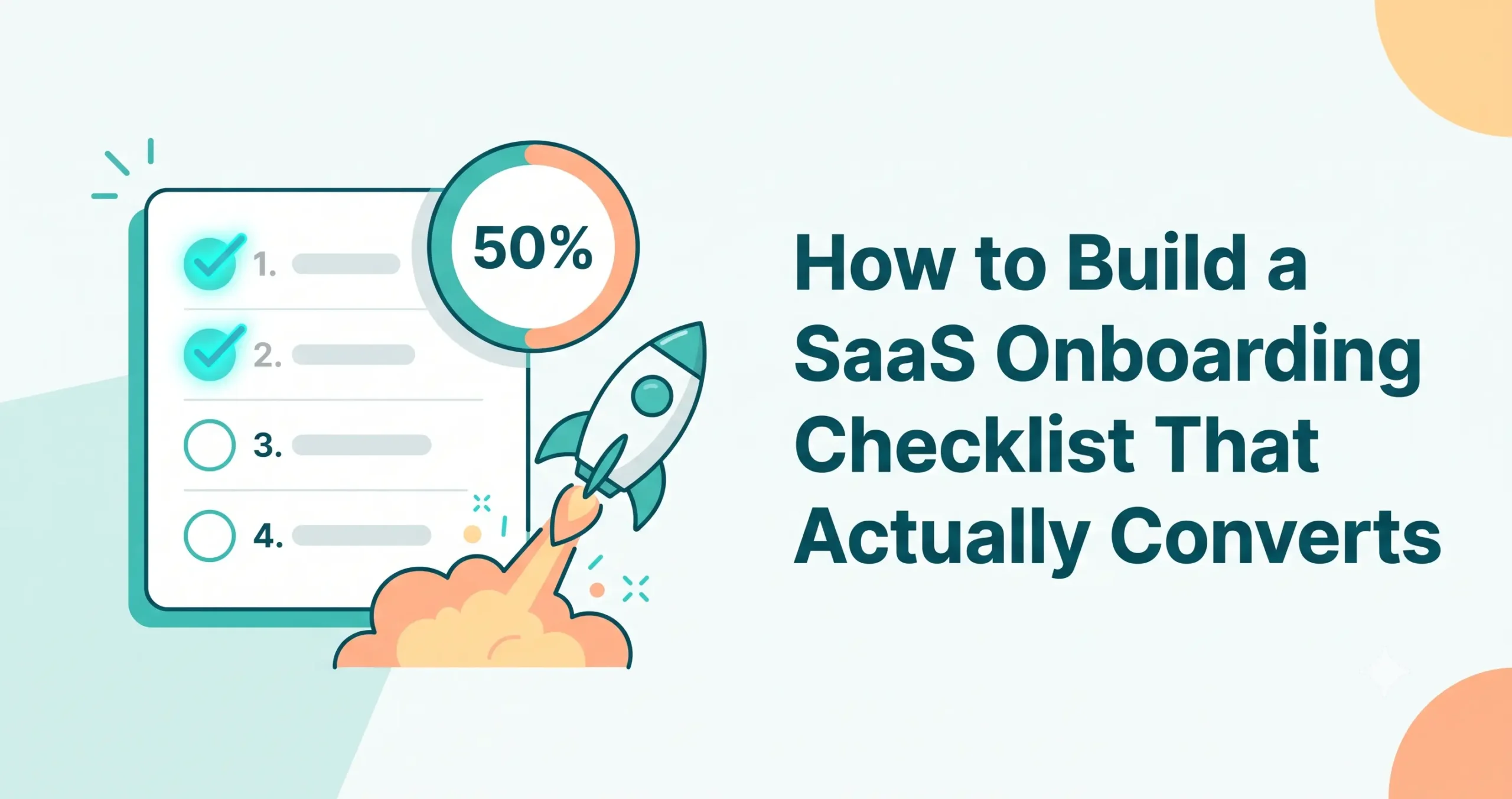
First, there is the power of progress visualization. Human beings are wired to seek closure and completion. When users can physically see their progress advancing toward a goal, they feel a sense of momentum.
Second, there is the Zeigarnik effect—a psychological principle stating that people remember uncompleted or interrupted tasks better than completed ones. A checklist inherently creates a state of “incompletion.” When a user sees three out of four boxes checked, that final empty box creates a psychological pull. The brain feels a mild, nagging tension that can only be resolved by completing the final task.
However, checklists are not a magic bullet. A badly designed checklist—one that is too long, too boring, or focused on the wrong metrics—will actually accelerate churn by making your product feel like a chore. In this comprehensive guide, we will break down exactly how to build a SaaS onboarding checklist that drives meaningful product adoption and turns trial users into paying advocates.
The Anatomy of a High-Converting SaaS Onboarding Checklist
Not all checklists are created equal. The highest-converting checklists in the SaaS industry share a specific, optimized anatomy. They do not just list features; they curate an experience. Here are the core anatomical traits of a checklist built to convert.
1. 3-5 Tasks Maximum (The Cognitive Load Limit)
When a user logs into your platform for the first time, their cognitive load is already high. If your checklist asks them to complete 12 different setup steps, you will trigger “checklist fatigue.” The ideal length for a SaaS onboarding checklist is strictly three to five tasks. This is just enough to guide them toward value, but brief enough to feel achievable in a single session. If your product is highly complex, break onboarding into phases rather than dumping 15 tasks into a single list.
2. Ordered by Value, Not Just Ease
A common mistake is ordering tasks chronologically based on account setup (e.g., Step 1: Upload Avatar, Step 2: Invite Team). Instead, sequence your checklist based on value delivery. The first or second task should give the user a quick win that demonstrates the core utility of your software. If a task does not help the user understand why your software is valuable, push it to a secondary “account setup” phase later in the lifecycle.
3. A Highly Visible Progress Bar
A checklist without a progress bar is just a to-do list. A progress bar adds an element of gamification. To maximize its effectiveness, utilize the Endowed Progress Effect. This is a cognitive bias where people are more likely to complete a goal if they are provided with artificial advancement toward it. Always start your users with one task already crossed off (for example, “Create your account” or “Start your free trial”). When they log in and see they are already 25% done, they are far more motivated to finish the remaining 75%.
How to Choose Which Tasks Belong on the Checklist
The most critical step in building your SaaS onboarding checklist is deciding what goes on it. Every task must be ruthlessly prioritized. To do this, you must map your checklist directly to your product’s core ‘Aha!’ moment.
The ‘Aha!’ moment is the exact point in the user journey where the value of your product suddenly clicks. For Slack, it was a team sending 2,000 messages. For Facebook, it was connecting with 7 friends in 10 days.
To choose your tasks, reverse-engineer this moment:
- Identify the Core Value: What is the primary problem your user signed up to solve?
- Isolate the Activation Metric: Look at your product analytics. What specific actions do your most successful, long-term retained users take in their first 24 hours?
- Bridge the Gap: What are the absolute minimum technical steps required to get a new user from a blank slate to that activation metric?
If you run an email marketing SaaS, your user’s ‘Aha!’ moment is seeing a live campaign get sent. Your tasks should not be “Fill out your profile bio.” The tasks should be: “Import your first list,” “Choose an email template,” and “Send a test email.”
If a task does not act as a stepping stone to the ‘Aha!’ moment, cut it from the initial onboarding checklist.
The Step-by-Step Process to Build One From Scratch
Building a successful SaaS onboarding checklist requires a mix of product analytics, UX copywriting, and design. Follow these exact steps to build yours.
Step 1: Audit Your Current User Journey
Walk through your sign-up process as a brand-new user. Record every click, screen, and decision point required to reach the core value proposition. You will likely find unnecessary friction points. Document the exact path of least resistance.
Step 2: Define the Finish Line (Activation)
Clearly define what a “fully onboarded” user looks like for your specific tool. Write down the single metric that defines activation. Everything you build next must point directly to this metric.
Step 3: Draft the Steps (and Cut the Fluff)
Write down the 3 to 5 steps required to cross the finish line you established in Step 2. Be ruthless. Combine smaller steps if necessary to keep the list under the five-item limit.
Step 4: Write Action-Oriented Copy
The copy on your checklist should be imperative, exciting, and benefit-driven. Don’t write: Team Member Invitation. Write: Invite 2 teammates to collaborate. Use verbs that inspire action and clearly state what the user needs to do.
Step 5: Design the UI/UX
Decide where the checklist will live. Will it be a persistent slide-out widget in the bottom right corner? A full-page overlay? A sticky banner at the top of the dashboard? Ensure it is easily dismissible but always accessible. Add subtle animations—like a satisfying “ding” or a green checkmark animation—when a user completes a task.
Sample Checklist Template for a B2B SaaS Product
To make this concrete, let’s look at a hypothetical generic B2B SaaS product: a Project Management tool designed to help marketing teams track deliverables.
The ‘Aha!’ moment for this tool is when a user successfully moves a task from “To-Do” to “Done” while collaborating with a colleague.
Here is how their optimized checklist would read:
Title: Welcome to [Product Name]! Let’s get your first project rolling. (Progress bar shows 25% complete instantly)
- [x] Create your workspace (Crossed off automatically upon login)
- [ ] Create your first Project Board
- Subtext: Start from scratch or use our 1-click Marketing Campaign template.
- [ ] Add 3 tasks to your board
- Subtext: Brain dump what you need to get done this week.
- [ ] Invite a team member
- Subtext: Projects are better together. Invite a colleague to assign them a task.
- [ ] Move a task to “Complete”
- Subtext: Experience the satisfaction of clearing your to-do list.
Notice how every step is an active verb, focuses entirely on product usage (not administrative setup), and drives the user directly toward experiencing the core value of the tool.
Common Mistakes: Why Most Checklists Fail to Convert
Even well-intentioned product teams frequently botch their checklists. If your SaaS onboarding checklist isn’t converting, check for these three fatal errors:
1. Checklist Fatigue (Too Many Tasks)
We touched on this earlier, but it bears repeating. If a user logs in and sees a checklist with 10 unchecked boxes, they will experience immediate psychological overwhelm. Instead of feeling guided, they feel like they were just assigned homework. If your product is highly complex (like a CRM or an ERP), use sequential checklists. Once they finish the “Basics” checklist, you can introduce an “Advanced Features” checklist a few days later.
2. Tasks That Don’t Map to Value
“Upload a profile picture,” “Connect your billing method,” or “Take a product tour” are the most common offenders here. Uploading an avatar does not show the user why your software is worth paying for. Watching a video tour is passive, not active. The tasks must require the user to actively engage with the core mechanics of your software.
3. No Immediate Progress Feedback
When a user completes a task, the checklist must instantly react. If the user creates a project, but the checklist doesn’t check off the “Create a project” box until they refresh the page, you have broken the psychological reward loop. Ensure your application’s front-end state management is tightly coupled to the checklist widget so the visual reward is immediate.
How to Personalize Checklists by User Role or Use Case
One-size-fits-all onboarding rarely works for complex B2B products. If an engineering manager and a freelance copywriter sign up for the same productivity tool, their ‘Aha!’ moments are entirely different.
To solve this, you must personalize your checklist based on user intent.
You achieve this by asking 1 or 2 branching questions during the initial signup flow. For example: “What is your primary goal with [Product Name] today?”
- Option A: Track my personal daily tasks.
- Option B: Manage my engineering team’s sprints.
If they choose Option A, their checklist should focus on creating a private dashboard, setting due dates, and downloading the mobile app.
If they choose Option B, their checklist should focus on integrating their GitHub repository, setting up agile sprint boards, and bulk-inviting their developer team. By segmenting the checklist based on role or use case, you drastically increase the relevance of the tasks, which directly boosts completion rates.
How to Measure Checklist Effectiveness
You cannot improve what you do not measure. To know if your SaaS onboarding checklist is actually converting, you need to track specific metrics and look for correlations.
1. Task Completion Rate: Track the drop-off at every individual step. If 80% of users complete Step 1, but only 20% complete Step 2, you have found a massive friction point. Step 2 is either too difficult, poorly explained, or requires data the user doesn’t have on hand.
2. Time-to-Completion: How long does it take the average activated user to finish the checklist? If it takes more than 15 minutes, your onboarding is likely too heavy for a single session.
3. Completion vs. Retention Correlation: This is the holy grail metric. Cohort your users into two groups: those who completed the checklist in their first 24 hours, and those who did not. Compare their 30-day and 90-day retention rates. If your checklist is effectively mapping users to the ‘Aha!’ moment, the cohort that finishes the checklist should retain at a significantly higher rate. If both cohorts churn at the same rate, your checklist is driving them to the wrong actions.
Your Copy-and-Paste SaaS Onboarding Checklist Template
Ready to build your own? Use this structure as a blueprint. You can copy this framework directly into your product management tool or hand it off to your UX writers.
[Widget Header]: Welcome to [Product Name]! Let’s get you set up. [Progress Bar]: 🟩 ⬜ ⬜ ⬜ (25% Complete)
- ✅ Step 1 (The Freebie): Create your account.
- Action: (Auto-completed upon login).
- ⬜ Step 2 (The Core Foundation): [Create/Import/Set Up] your first [Core Asset: e.g., Project, Campaign, Client].
- Microcopy: Start from scratch or use our pre-built template to save time.
- ⬜ Step 3 (The Core Action): [Add/Edit/Send/Publish] your [Core Asset].
- Microcopy: See how easy it is to [Primary Benefit of Product].
- ⬜ Step 4 (The Collaboration/Expansion Step): [Invite a teammate / Download the extension / Integrate a tool].
- Microcopy: Connect [Product] to your workflow to get the most out of your trial.
Frequently Asked Questions (FAQ)
1. Should we force users to complete the SaaS onboarding checklist before they can use the product? No. This is known as a “hard gate,” and it almost always frustrates users. Your checklist should be highly visible but dismissible. Let users explore freely if they want to, but keep the checklist accessible (e.g., in a sidebar or widget) so they can return to it when they need guidance.
2. How do we get users to come back if they abandon the checklist halfway through? Use lifecycle email marketing. If a user drops off after completing 2 of 4 steps, send a triggered email 24 hours later. Do not just say “Come back and finish.” Instead, highlight the value of the specific next step they missed. (e.g., “You’re one step away from launching your first campaign—here is a template to help you finish.”)
3. Can we offer a reward for completing the checklist? Yes, but proceed with caution. Offering extrinsic rewards (like a $10 gift card) can artificially inflate checklist completion rates without actually building product habits, leading to churn later. Better rewards are intrinsic to the product, such as unlocking an advanced feature, getting an extra week on their free trial, or receiving bonus usage credits.
4. Should our checklist include a video tutorial? Keep videos out of the checklist actions, but you can include them as resources. The checklist should be about the user doing the work, not watching someone else do it. You can embed a 30-second micro-video next to a complex task to show them how to do it, but the checklist item itself should be the actual execution of the task.
5. How often should we update or change our onboarding checklist? Your checklist should evolve alongside your product. Re-evaluate your checklist every time you launch a major new feature or undergo a UI redesign. Furthermore, review your checklist analytics quarterly; if the drop-off rate for a specific task suddenly spikes, it is time to investigate and optimize that step.